NextPad

For teaching · free software (EUPL-1.2)Current version 0.20.0

Writing together in seminars and lectures.

Groups write in the same text, the plenary collects questions and votes, teams compete in a quiz. Participants need no account, a link or QR code is enough, on desktop and mobile devices. The data stays on the institution’s server.

  • no account for participants
  • on desktop and mobile devices
  • data stays on your own server
  • on its own or in Moodle and ILIAS
  • German and English
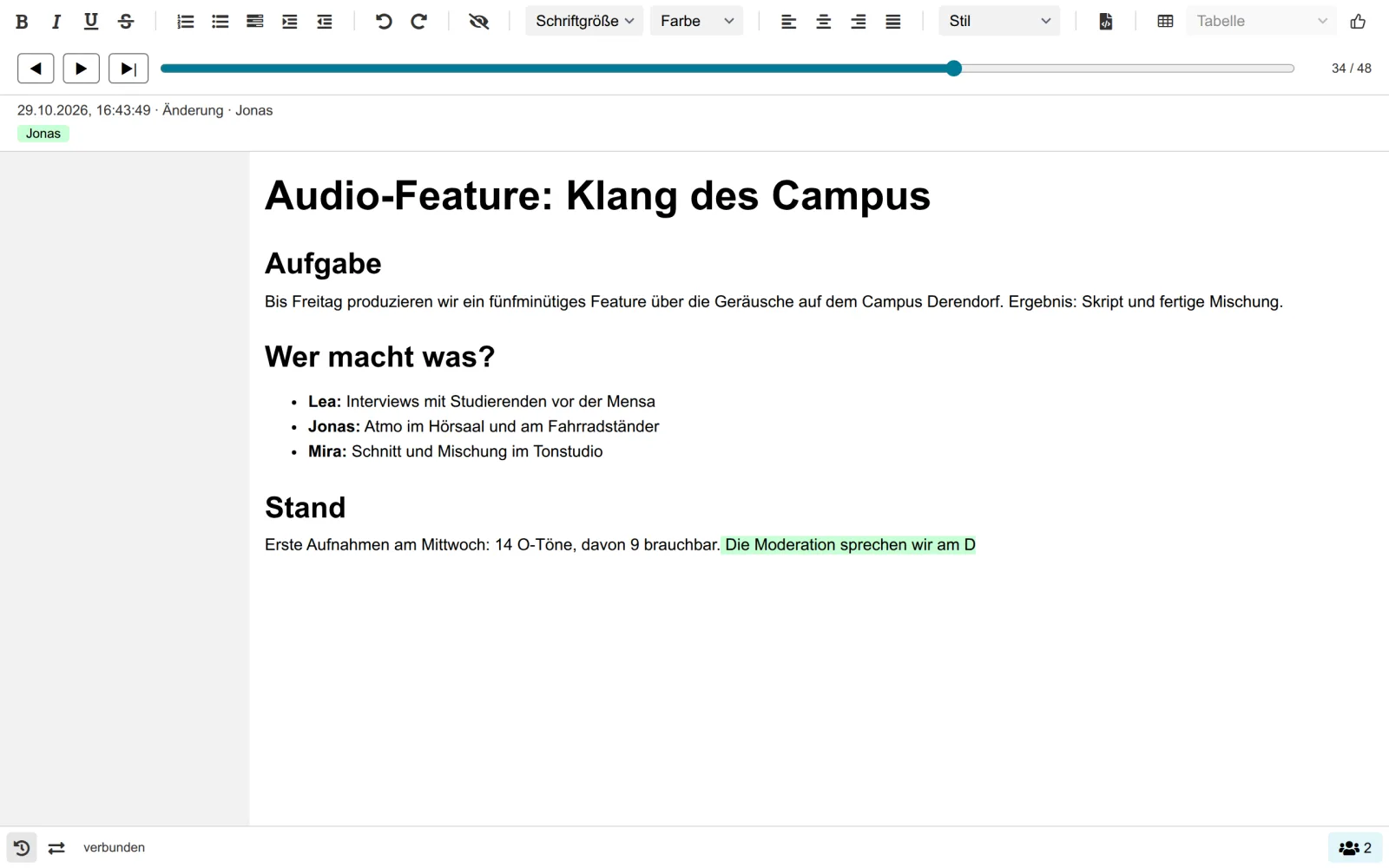
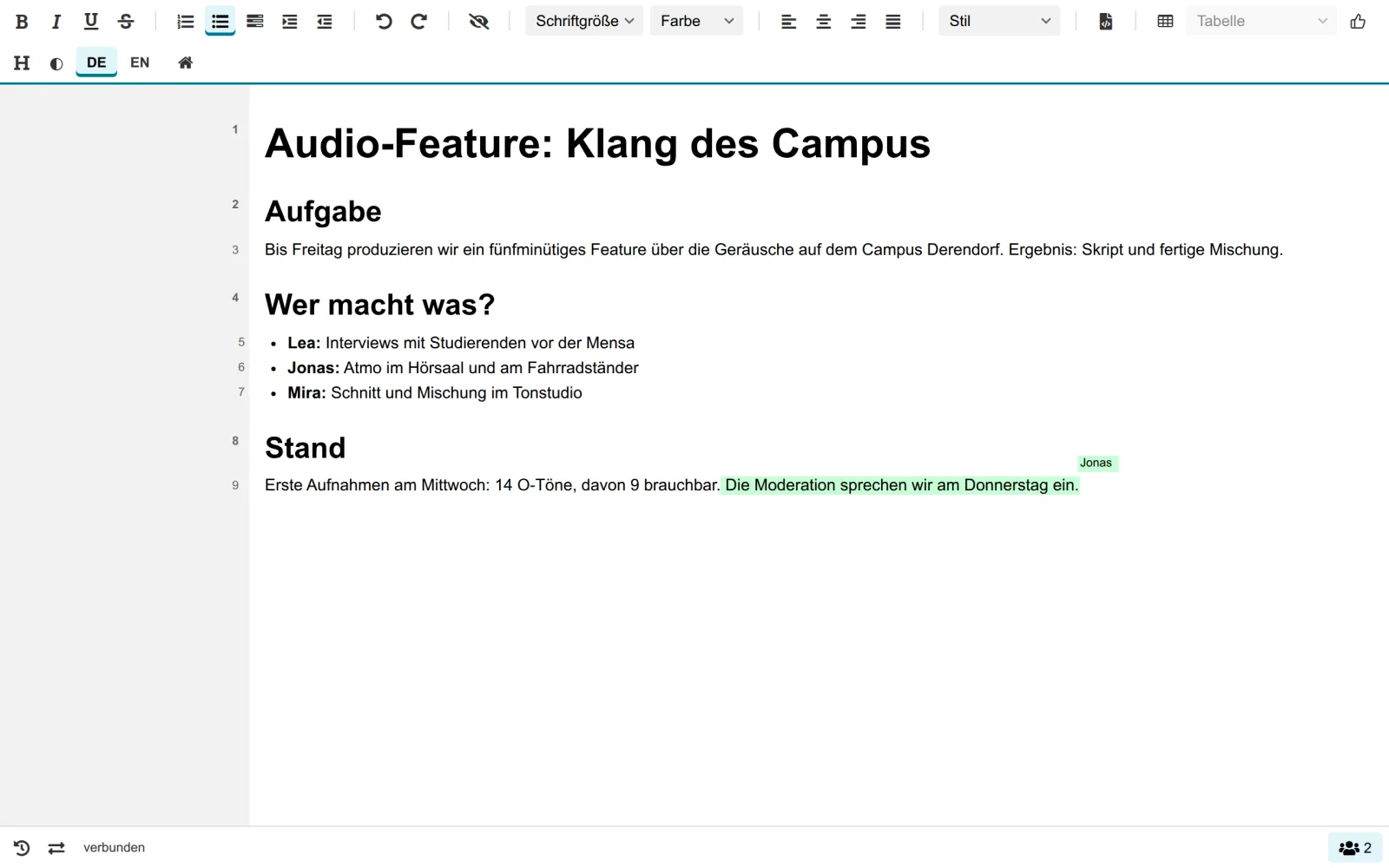
A pad in the browser: heading “Audio-Feature: Klang des Campus”, a task list for Lea, Jonas and Mira, Jonas’ new sentence marked in colour.

Using it in teaching

Pads are mainly tools for in-class and seminar phases: groups work at the same time, teachers see what emerges. On top come a projector view with QR code, votes and a buzzer on the phone. Which tool suits which situation is shown in the manual.

Pad

Group work in class

Three to six students write in the same text. In Moodle group mode every group gets its own pad.

Author colours

Making participation visible

Every person writes in their own colour. The group sees who contributed, without anything being graded.

Thumbs

Opinion poll in the text

Thumbs up or down right next to a statement or proposal, one vote per person. An opinion poll right inside the text.

Task list

Ticking off assignments

Checkboxes typed as - [ ] or added by button. Everyone sees live what is done.

Timeline

Reflecting on writing

The timeline shows how a text came about: what was deleted, when the turn came. Suited to tasks such as “Compare the first draft with the result”.

Idea collection

Questions from the plenary

Even in large groups, questions and ideas come together, without names, with one vote per person. The board view shows the result live.

Quiz

Revision as a quiz

At the end of a unit, teams compete on the quiz grid and buzz with their phones. Teams only have names, no individuals are recorded.

Drawing board

Storyboard and mind map

Storyboards, mind maps or flow charts are created together on the drawing board, on the same server.

What is inside

The pad is at the core. Idea collection, quiz and drawing board come on top and can be switched on and off per server. Everything runs without a learning platform and on phones too.

Start page

Start right away, no learning platform needed

Type a name on the start page or pick a template, and a pad, collection, quiz or drawing board is ready. Share it by link or QR code. Free pads have ownership rules and an adjustable retention period. Light and dark follow the system.

Admins set name, colours, logo and start image in the browser. NextPad computes the colour shades so that the contrast is sufficient.
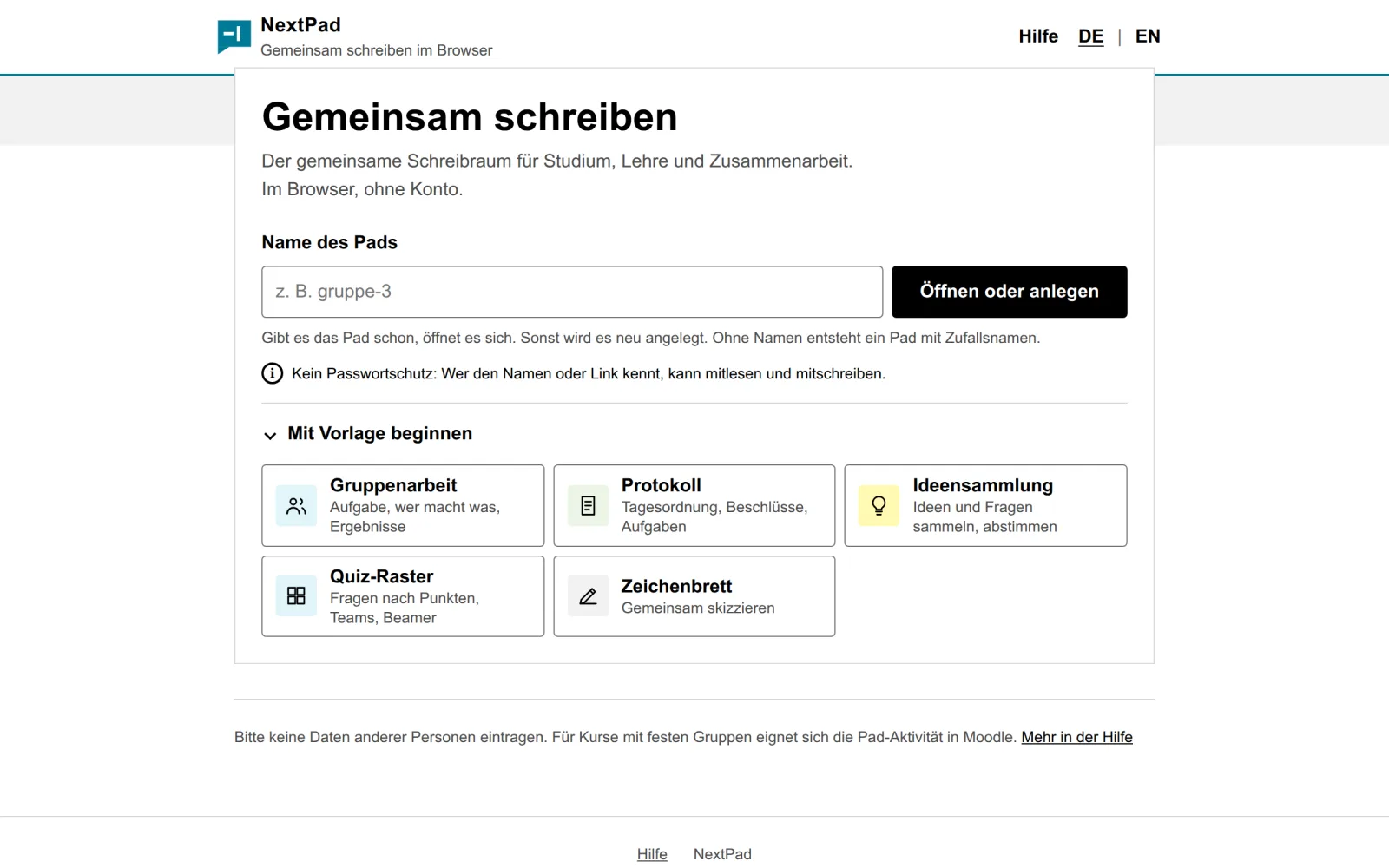
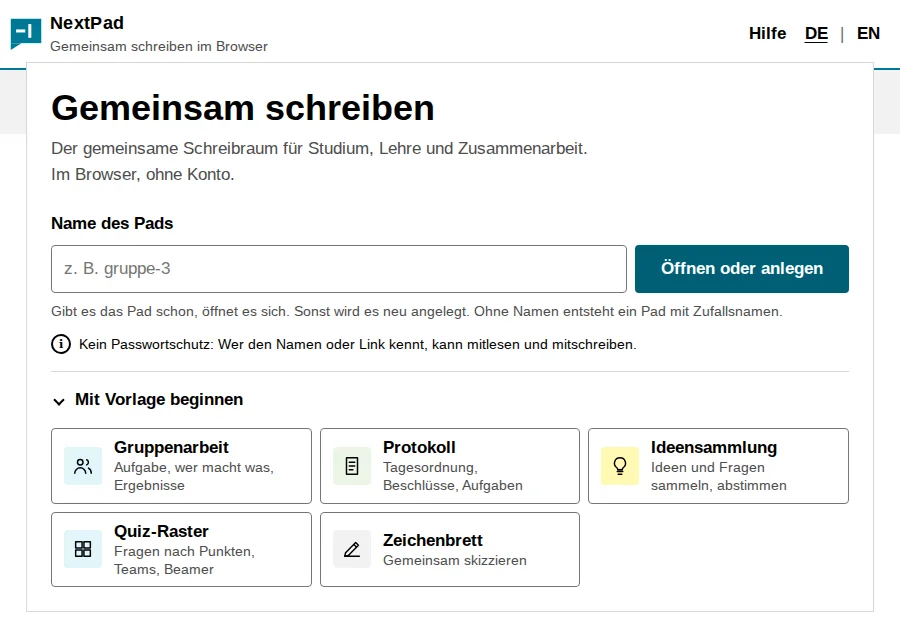
NextPad start page with an input field for a pad name and templates.
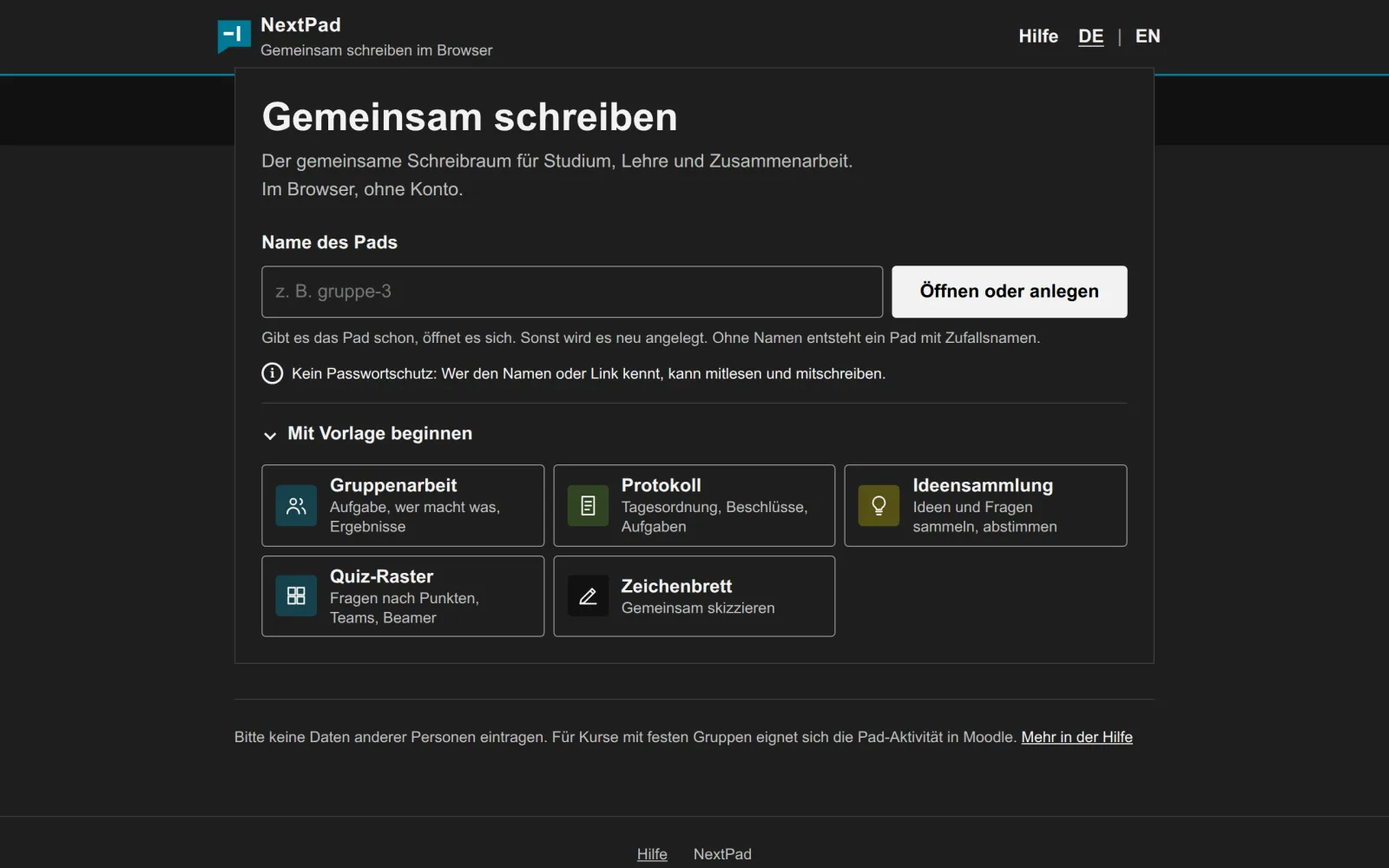
NextPad start page in dark mode.
Pad

Writing with a timeline

Everyone writes in the same text at the same time, each person in their own colour. The timeline replays how the text came about step by step.

  • Markdown while typing and pasting: # for headings, - for lists, - [ ] for checkboxes, tables with |, code blocks with ```
  • Thumbs up and down in the text, one vote per person
  • Table of contents in the margin or as a block in the text
  • Timeline with time and author per step, restore an earlier version
  • Export as HTML, Markdown, text and PDF
Timeline above the pad: the slider is just before the end, Jonas’ sentence is only half written.
Idea collection

Collect questions and ideas, vote, show

Post without a name, vote with one vote per person. The board view with QR code goes on the projector, moderated by the person who created the collection.

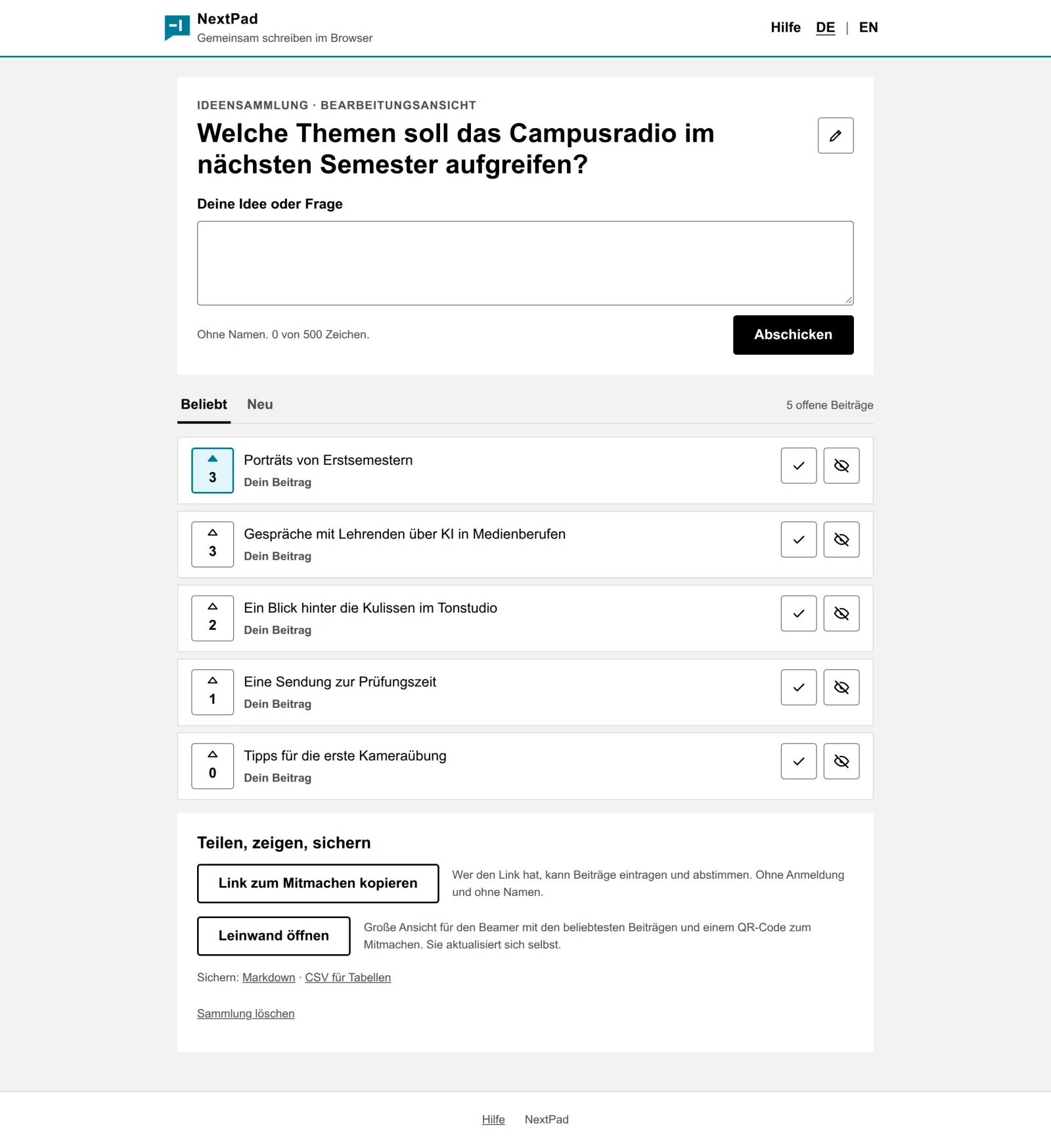
Idea collection with the question “Welche Themen soll das Campusradio im nächsten Semester aufgreifen?” (topics for the campus radio) and five ideas sorted by votes.
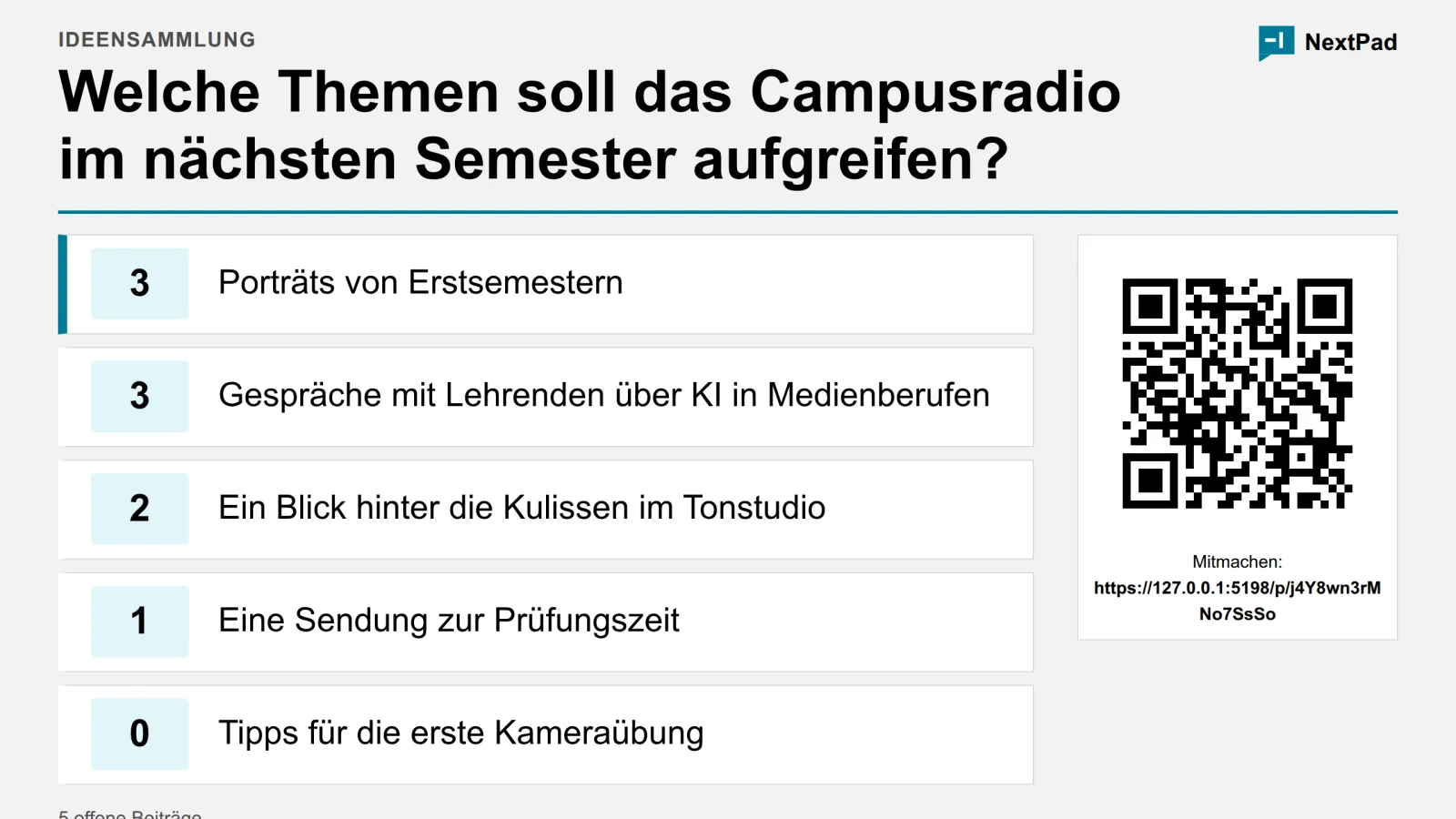
Board view of the same collection with a large QR code for joining.
Quiz

Quiz grid with buzzer

Enter questions by category and points as a table, put the grid on the projector, teams buzz with their phones. Whoever presses first appears large on the screen, a countdown limits the time per question.

  • Teams join by QR code; start, end and restart the game
  • Buzzer measurement checks in the room how fast each phone transmits signal and press
  • As an activity in Moodle and ILIAS via LTI 1.3
Drawing board

Sketch on the same server

Shapes, arrows, freehand and text on a shared surface. Everyone sees the others' pointers. The drawing board is hardly usable with screen readers; the pad suits that better.

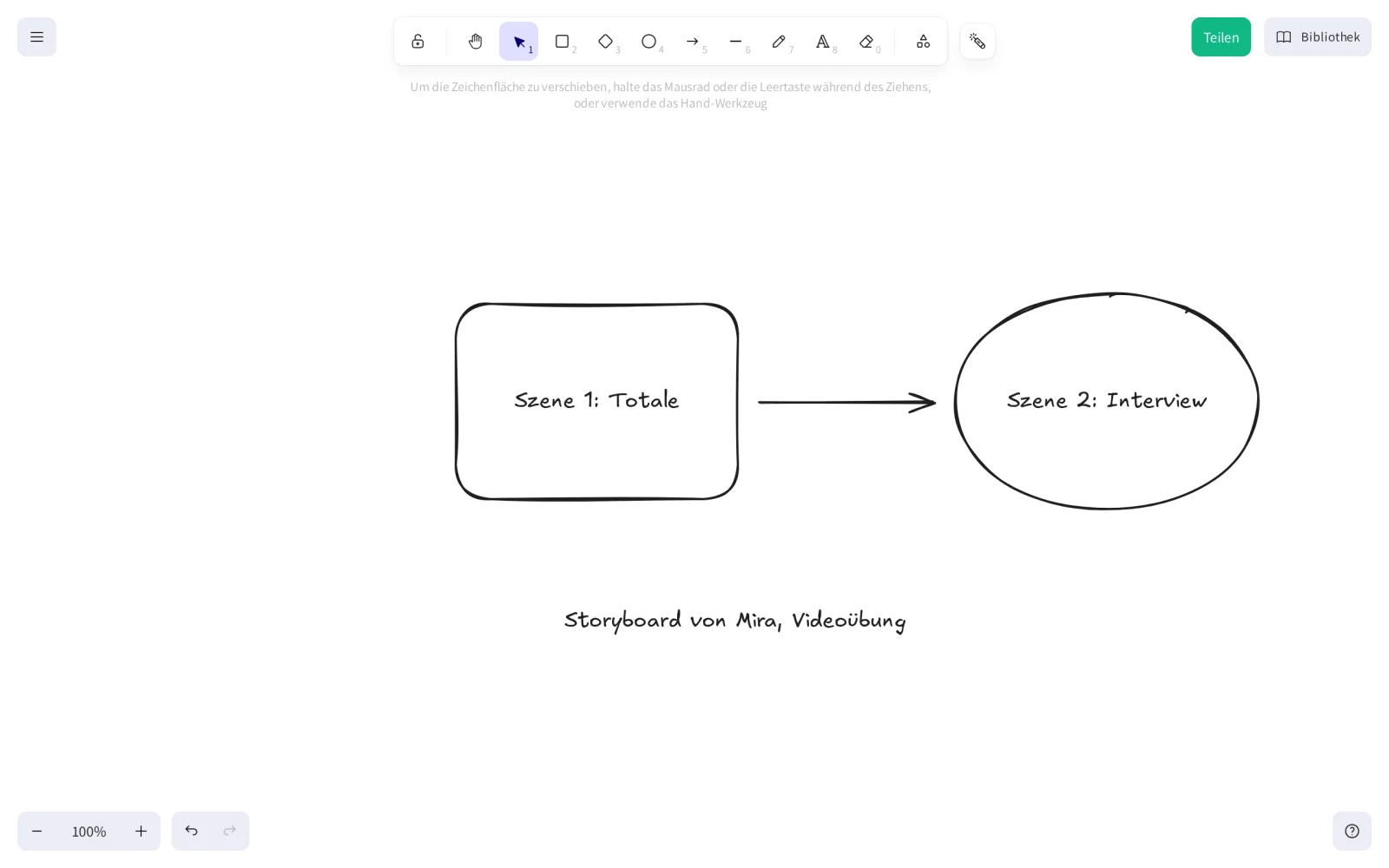
Drawing board with a storyboard: rectangle “Szene 1: Totale”, arrow, ellipse “Szene 2: Interview”.

With Moodle and ILIAS

In Moodle and ILIAS, pad, idea collection and quiz come into the course as an activity. Then only course members take part, and teachers moderate. The manual shows how for Moodle and ILIAS. Moodle needs no new plugin for this.

Moodle via the Etherpad API and LTI 1.3

  1. Enter server and key

    Set the NextPad address and the API key in the Etherpad Lite plugin. Nothing else changes in Moodle.

  2. Keep working as before

    Moodle creates pads, authors and sessions itself through the API. Group mode, course reset, backup and restore use the same calls as with Etherpad.

  3. Optional: LTI 1.3

    Added as an “External tool”, each activity becomes its own pad, idea collection or quiz. Roles come from Moodle: teachers moderate and lead, students take part. Names, profile pictures and language are passed on, a button leads back to the course. NextPad does not send grades.

# This is how mod_etherpadlite asks, NextPad answers like Etherpad
POST /api/1.2.15/createGroupPad
apikey=…&groupID=g.x3Kq…&padName=kurs-4711

# Response
{"code":0,"message":"ok",
 "data":{"padID":"g.x3Kq…$kurs-4711"}}

The API is described in docs/api-spezifikation.md (German).

ILIAS tested with ILIAS 11

The administration registers NextPad once as an LTI provider. Teachers then add a pad, idea collection or quiz to the course as an object. Roles, names and language come from ILIAS. From version 0.19 on, the QR code and “Back to course” lead to ILIAS.

For operation

Privacy, operation, accessibility

This part is for everyone who runs NextPad at their institution or decides about it.

No third-party services

No trackers, no fonts or scripts from others. Everything the browser loads comes from your own server.

Deleting own pads

Whoever creates a free pad owns it and can delete it or extend it by a year at any time. If wanted, NextPad deletes unused pads after an adjustable period; it is off by default. People signed in through Moodle or ILIAS get an email with the content first. Pads in courses follow the course.

Pads with a password

Whoever owns a free pad can protect it with a password. The server stores only an Argon2id hash of it and slows down guessing. The password keeps strangers out but does not encrypt the content: whoever runs the server can read it. Only this way PDF export and the email before deletion stay possible.

Small attack surface

One program without Node.js and without runtime plugins. Pad content stays data, sign-in through Moodle only accepts RS256-signed tokens.

Technology

One program in Rust with SQLite. Collaborative writing with Yjs (CRDT) and the TipTap editor; the drawing board is Excalidraw over the same Yjs server.

Easy to run

SQLite in the data directory, configuration through environment variables. A reverse proxy with TLS in front, done.

Accessibility checked

Start page and idea collection are checked with axe against WCAG 2.2 AA in every look, light and dark, on every test run. Targets are at least 44 px. Limits: the drawing board is hardly usable with screen readers, and the buzzer requires quick reactions.

Two languages

Interface, help, exports and emails in German and English. The choice is remembered, otherwise the language from Moodle or the browser applies. What people write stays as it is.

Why NextPad and not Etherpad?

Etherpad made writing together in the browser known at universities, often through mod_etherpadlite in Moodle. NextPad keeps what teaching uses. What makes it hard to run, it leaves out.

Same

for teachers in Moodle and ILIAS

In Moodle the “Etherpad Lite” activity stays as it is: groups, time windows, course backup and restore keep working. In ILIAS NextPad comes into the course as an external tool. Existing pads stay available.

More

tools for the room

Timeline to trace changes, idea collection with board view, quiz with buzzer and drawing board, all on one server. The chat is gone; it was hardly used.

Easier

to run

One program instead of a Node server with over a thousand npm packages and plugins. An update means: replace one file. Even with 100 people in one pad, responses stay under 80 ms in the load test.

Three looks

One setting picks the shape for the start page, pads, idea collection and quiz: square, slightly rounded or rounded. All three meet WCAG 2.2 AA in light and dark mode. The fonts ship with the program and never come from other servers.

Start page in the square look: header with the NextPad mark, field for the pad name, petrol button, templates as tiles with straight corners.

Square nextpad Default

Clear edges, petrol as accent, the font NextPad Sans with the metrics of Arial. Logo and house colours can be set in the admin pages.

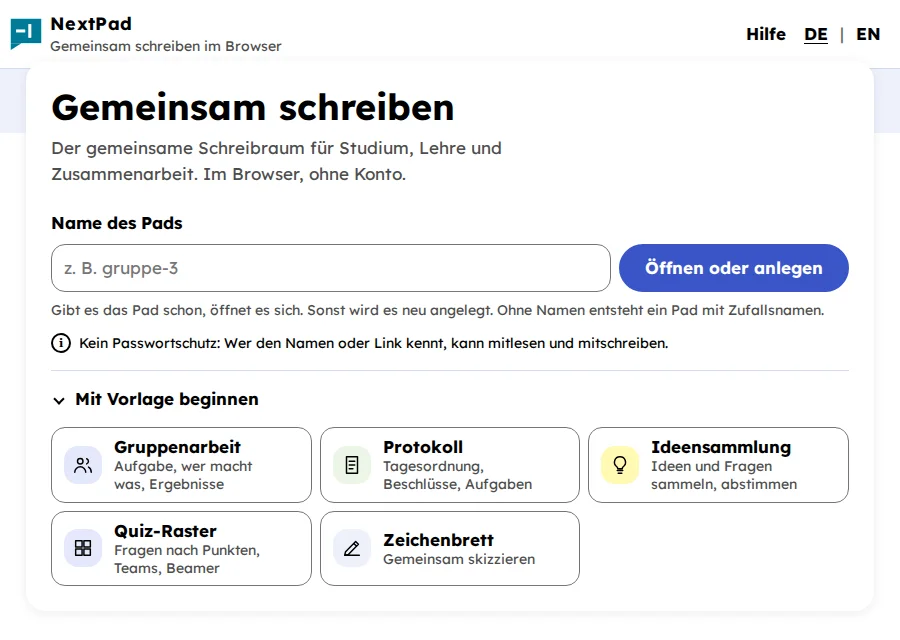
Start page in the rounded look: light blue background, card with large radii, blue pill button, font Lexend.

Rounded rund

Large radii, pill buttons, blue as accent. The font Lexend was designed for readability. Logo and house colours can be set in the admin pages.

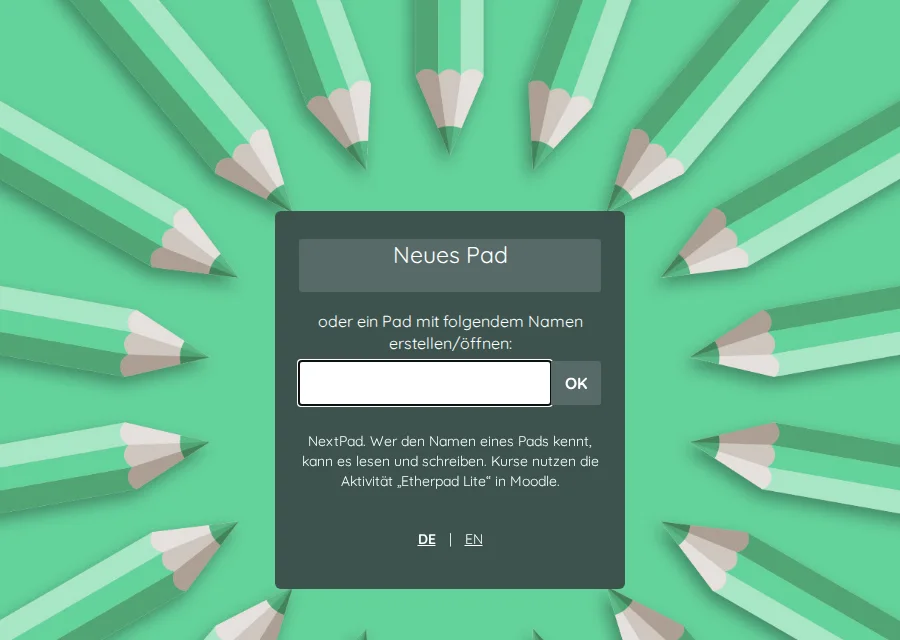
Start page in the slightly rounded look: green background with coloured pencils, dark panel with “New pad” and a field for the name.

Slightly rounded colibris

Like Etherpad with Quicksand and the pencil background. Familiar to everyone who worked with Etherpad before.

The variable NEXTPAD_THEME picks the look, on YunoHost the installation does. Institutions with their own corporate design use the hsd look as a template.

Install

Three ways, depending on your environment. The settings are described in server/README.md.

Binary

Download for Linux x86-64 from the releases and start it.

# data directory and address
NEXTPAD_DATA=/srv/nextpad \
NEXTPAD_PUBLIC_URL=https://pads.example.org \
./nextpad
Go to releases

Container

With docker compose following linuxserver.io, data under ./config.

cp .env.example .env
docker compose up -d --build
Container guide

YunoHost

As an app with a settings page for API keys, LTI and admins.

yunohost app install \
  ./packaging/nextpad_ynh
YunoHost package